
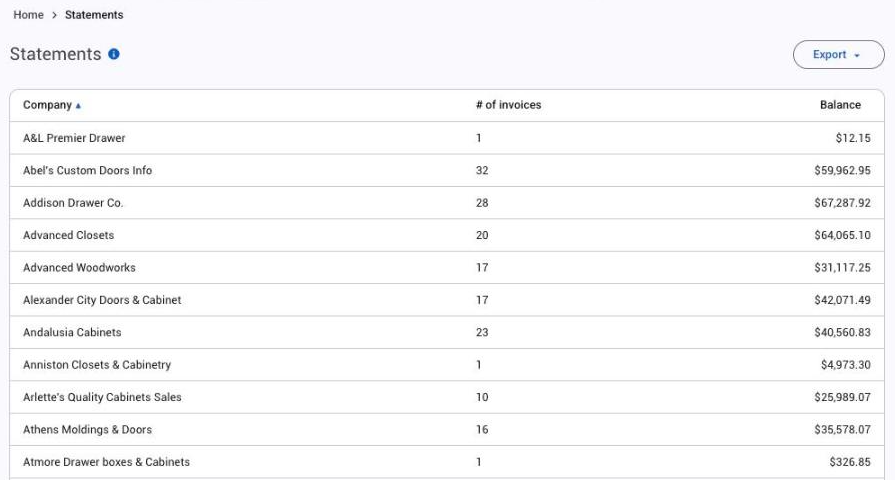
Financial > Statements lists every customer with an open balance: the company, how many invoices are open and the total. Open a customer to email or print their statement as a PDF. You can filter the list by company or tags, or click Export.
Applies to: statements need the Manage Invoices permission, which only the account owner has by default.
In this article
What's on a statement
A statement includes every invoice that isn't voided, has reached its due status and still has a balance. Open credit memos are included too, so the balance reflects credit the customer hasn't used.
An invoice whose order hasn't reached its due status yet isn't on the statement.
A statement shows the customer's details, and each invoice's date, number and open balance.
An old invoice you don't expect to collect stays on the statement as long as it has a balance. Undoing or removing a payment puts the balance back. To take it off:
- If the money won't be collected, take a payment on the invoice with the Write Off method. See Use credit memos, account credit and write-offs.
- If the sale never happened, move the order to Void. Voided invoices aren't on statements.
How aging works
Each invoice is placed in an aging group by its due date: current, 1 to 30, 31 to 60, 61 to 90, or over 90 days past due. The due date is the date the order reached its due status plus the term's grace days, so an invoice still inside its grace days shows as current.
Email or print a statement
- Go to Financial > Statements and open the customer.
- To email it, fill in the to, reply-to, subject and message, tick copy me if you want a copy, and send. The statement goes as a PDF attachment.
- To print it, open the printable PDF.
Change the statement layout
Edit the layout in the Statement Editor at Settings > Admin > Financial. It's an HTML editor. Use the variables list to pull details from Allmoxy into the layout.