
The SKU Cabinet template is the starter catalog for shops that sell cabinets from a price list: each cabinet is picked by size code (for example BNS12, a 12-inch base with no shelf) and a door style or finish, and the price comes from a table rather than from the cabinet's parts. Most of the template's attributes are construction defaults that stay hidden; this page lists what each one is for and how to make it visible or take it out of pricing.
Applies to: shops set up on the SKU Cabinet template (catalog and stock cabinet shops). Editing attributes needs the Manage Catalog permission. For how attributes work in general, see How attributes work.
In this article
- How the template is put together
- Size and construction attributes
- Material and service attributes
- Things to know
How the template is put together
- Two attributes drive the price: the door style or finish dropdown and the cabinet size dropdown. See SKU Cabinet template: how pricing is built.
- Construction attributes (toe height, reveals, drawer heights, materials) are hidden by default. Their default options carry the values your part formulas and exports use, so customers get a consistent cabinet without answering questions.
- Each dropdown has a
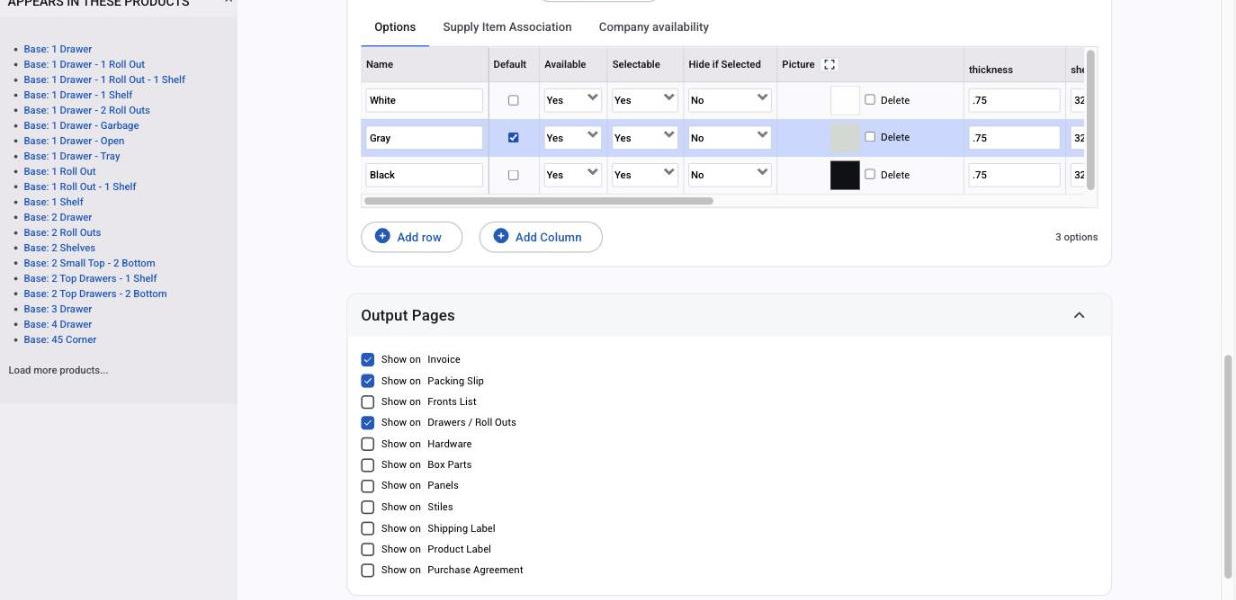
pricing_idcolumn. If your size table already includes everything and a dropdown should not change the price, set its options'pricing_idto0. - To let customers change a hidden attribute, set its Order Page Visibility to Show (or override it on just the products where it applies).
Size and construction attributes
| Attribute | What it holds | Default | Notes |
|---|---|---|---|
| Top Drawer Height | The top drawer front height used by most cabinets with a top drawer | Hidden | A few cabinets with equally split drawers ignore it |
| Bottom Door Height | Door height on cabinets that have a bottom door dimension | Hidden with a default | Show it on cabinets where the customer should set it |
| Toe Height | Floor to the bottom of the deck | Hidden | |
| Toe Front Recess | Front of the cabinet to the front of the toe | Hidden | Can be made visible |
| Reveals (top, bottom, left, right, horizontal) | Reveal at each location, typically 0 to 1/4" | Hidden | If you make them visible, plan how the chosen reveal reaches your engineering software |
| Return Depth | Front of the cabinet to where the end returns | Hidden | |
| Applied End Depth | Depth of an applied end | Hidden | Kept separate from cabinet depth so 3D products map correctly to Allmoxy |
| Farm Sink Height | From the top the sink sits on to the top of the left and right ends | Hidden | Sink base cabinets only |
| False Front Width | Width of the false front piece that splits an opening | Shown only on cabinets that have one |
Material and service attributes
| Attribute | What it holds | Pricing |
|---|---|---|
| Back Material | The back sheet | Set pricing_id to 0 if the size table already covers it |
| Drawer Box Bottom Materials | Drawer bottom sheet | Set pricing_id to 0 if the size table already covers it |
| Hardware Type | Knobs and pulls | Set pricing_id to 0 unless hardware is an upcharge |
| Assembly | Whether the cabinet ships assembled | Set pricing_id to 0 unless assembly is an upcharge |
| Install | Installation option | Set pricing_id to 0 unless install is an upcharge |
Things to know
- Hidden attributes still need a default. A hidden attribute with no default makes the cabinet show "-" on the order.
- Columns, not formulas. Values your exports and part formulas read live in the option columns; edit the cell rather than the formula.
- Per product changes go through Edit Overrides on the product, so the shared attribute stays as it is for the rest of the catalog.
- This page describes the template as installed. Your catalog may have been customised during onboarding; the attribute list on any product (its Attributes tab) is the final word.