
A proxy variable is a formula you write once under Settings > E-Commerce > Proxy Variables and then use by name, as proxyvar.name, inside any product's pricing, part or weight formulas. Change it in one place and every product that uses it follows. Use proxy variables for rates and calculations that repeat across the catalog: a labor rate, a material cost, a standard oversize rule.
Applies to: shops with formulas that repeat across products. Needs the Manage Catalog permission.
In this article
Create a proxy variable
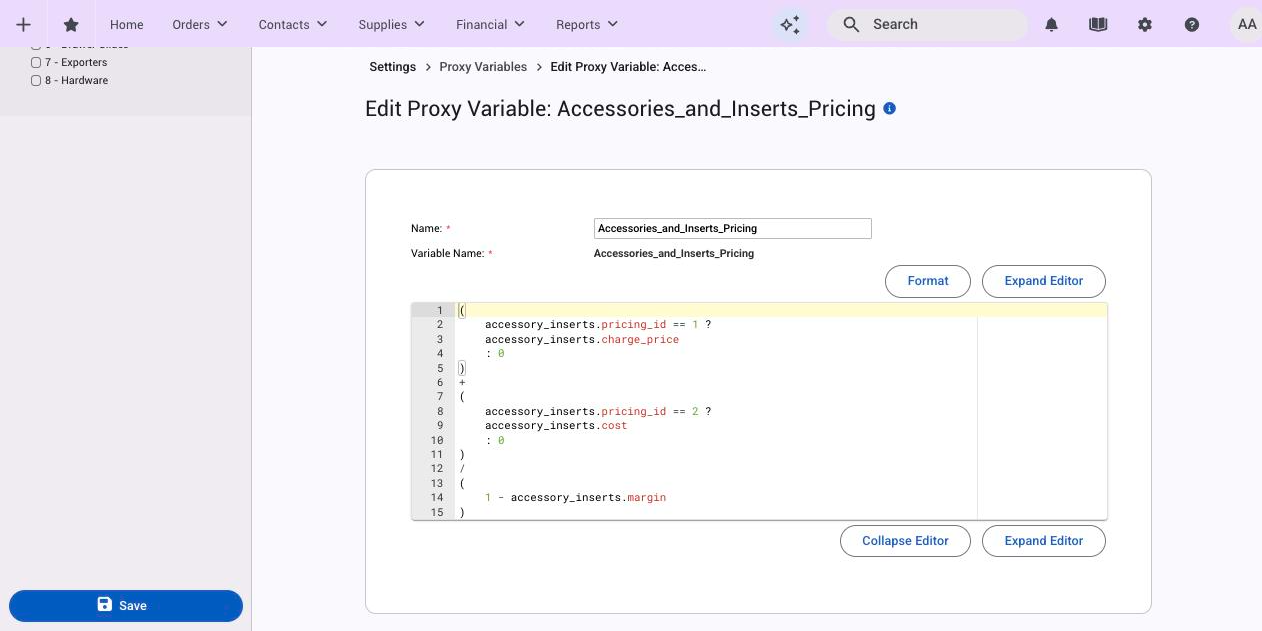
- Build and test the formula in one product first. The product's Pricing tab checks the formula when you save and lists every variable it can use; the proxy variable editor doesn't. A mistake there only shows up as a wrong price on the products that use it.
- Go to Settings > E-Commerce > Proxy Variables and click Add Variable.
- Type a Name. The Variable Name fills in automatically as lower-case with underscores (for example Door Material Cost becomes
door_material_cost) and can't be changed once saved. - Paste the formula into the editor. It can use attribute names, option columns and part values, so it only works on products that have those attributes and parts.
- Tick a category in the sidebar if you use them to organise the list, then click Save.
Use it in a product
- Open the product's Pricing, Parts or Weight tab. The sidebar's Proxy Variables panel lists every variable.
- Click one to insert it, or type
proxyvar.door_material_cost. - Combine it like any other variable:
proxyvar.door_material_cost + (parts.panel.Qty * door_style.extra_panel_cost) + hinge_drilling.price.
When the proxy variable changes, open Bids pick up the new result on their next view; placed orders keep their price unless a line is changed.
Manage the list
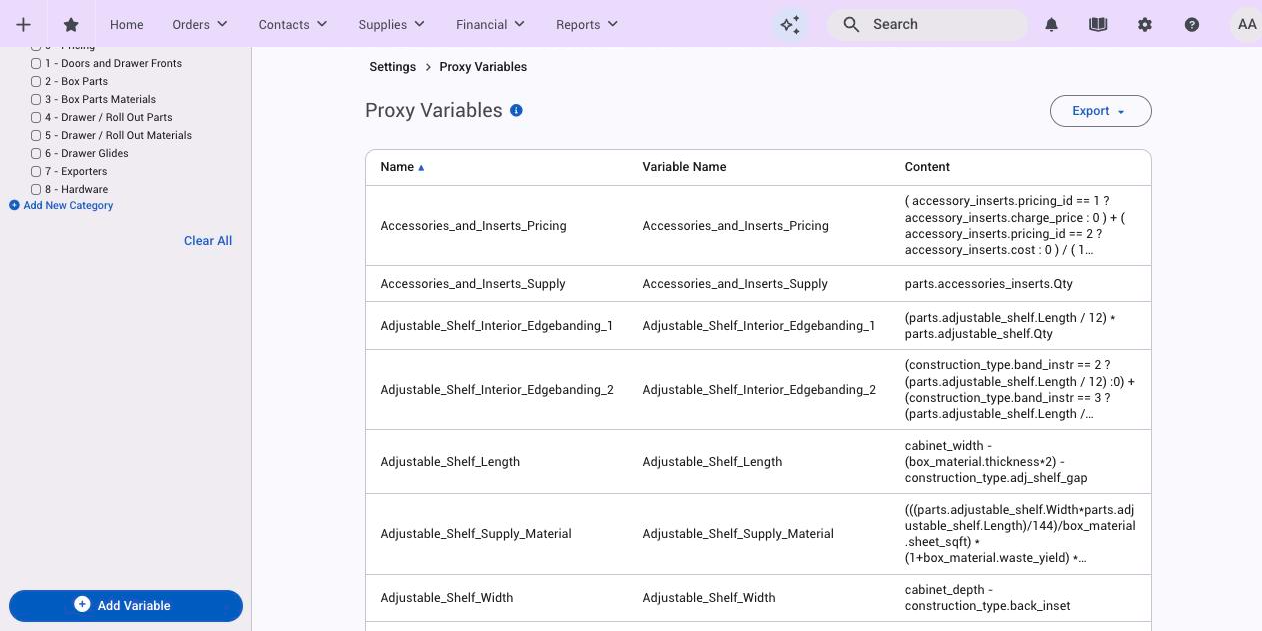
- Categories (sidebar) group variables in the list and filter it. Add one with Add New Category in the Category filter.
- Notes on each variable record why it exists or what changed; they're on the edit page.
- Export downloads the whole list as a CSV (ID, Name, Variable Name, Value), handy for reviewing formulas outside Allmoxy.
- Delete This Proxy Variable removes it. Products still referring to it will then price wrong, so search your formulas first.
Things to know
- No nesting. A proxy variable can't contain
proxyvar, so one can't call another. Build the shared piece once and combine them in the product. - A broken proxy variable prices silently. If a variable can't be worked out on a product (for example it uses an attribute that product doesn't have), the price comes out at $0 or the minimum price with no warning. Test on each product that uses it; see Test and fix a pricing formula.
- Variable names are permanent. The display name can change; the variable name can't.
global.nameis an older spelling ofproxyvar.nameand still works in existing formulas.